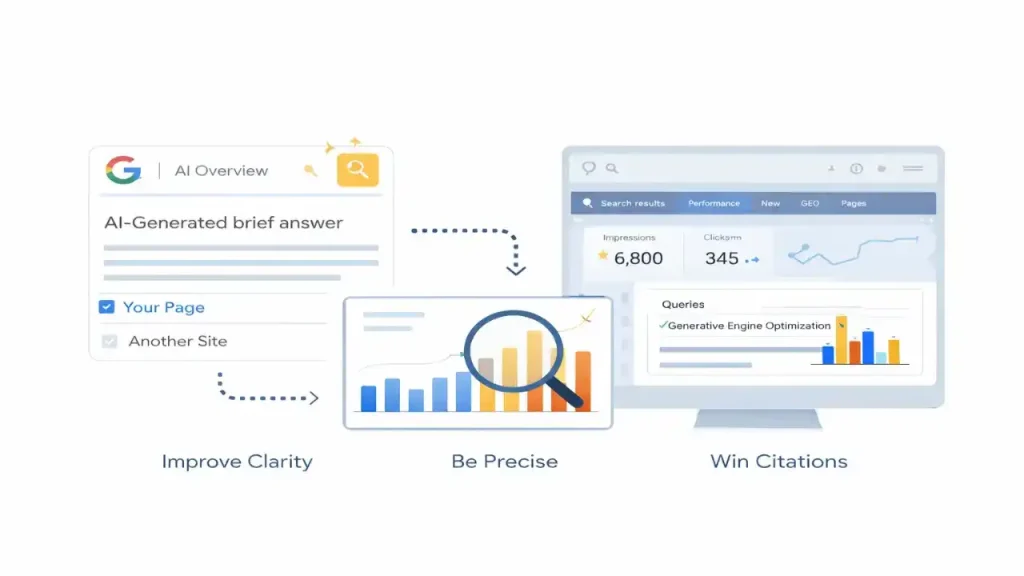
Tracking traffic from Google AI Overviews is different from tracking traditional organic SEO. AI Overviews can increase impressions while reducing clicks, and Google currently reports AI Overview interactions as part of overall Web performance data in Search Console—not as a separate report.
This guide gives you a practical measurement system you can implement today: what you can measure reliably, what you can only estimate, and how to build a repeatable reporting workflow that fits your GEO content system.
The Reality: What You Can (and Can’t) Measure
What you can measure reliably
- Total organic clicks, impressions, CTR, average position in Google Search Console (Web search type)
- Landing-page performance (which pages earn impressions/clicks for which queries)
- Engagement quality (time on page, conversions) using analytics tools
What you cannot measure perfectly (yet)
- A clean “AI Overviews clicks” or “AI Overviews impressions” line item for every query/page in Search Console
- A definitive “this click came from the AI Overview module” for every session
Many teams face reporting gaps because Search Console data is aggregated.
Start With the Official Baseline in Search Console
Google states that sites appearing in AI features (including AI Overviews and AI Mode) are included in Search Console’s Performance report under the Web search type.
Step 1: Set up your Search Console views
- Open Search Console → Performance → Search results
- Ensure Search type = Web
- Set date range:
- Last 7 days (for early signals)
- Last 28 days (for trend stability)
Step 2: Create two saved comparisons (your core dashboard)
- Comparison A: Last 7 days vs previous 7 days
- Comparison B: Last 28 days vs previous 28 days
These comparisons help you detect the “AIO pattern” quickly: impressions rise faster than clicks, CTR falls, or position improves without proportional clicks.
Build an “AI Overviews Query Set” (The Practical Method)
Because you can’t isolate AI Overviews perfectly in Search Console for every query, the best practice is to track a curated set of queries that are likely to trigger AI Overviews.
Step 3: Identify AI Overview–prone queries
Start with queries already showing impressions:
- In GSC → Performance → Queries
- Filter for:
- Informational modifiers: “what is”, “how to”, “best way”, “steps”, “vs”, “comparison”
- Longer queries (often more AIO-prone)
Industry studies suggest AI Overviews have been expanding beyond purely informational terms over time, so include some mid-funnel modifiers too.
Step 4: Confirm AI Overview presence (sampling)
For your top 30–50 queries:
- Manually search them (incognito + clean location where possible)
- Record whether an AI Overview appears
- Save the query list as your AIO Query Set v1
Frequency: repeat this sampling weekly for 4 weeks, then monthly.
Output you want: a stable list of queries where AI Overviews appear often enough to treat them as “AIO-influenced.”
Attribute Impact Using “Before/After” Patterns
You’re not trying to prove every single click came from AI Overviews. You’re trying to answer:
- Did AI Overviews start showing for our queries?
- When they show, do clicks and CTR behave differently?
- Which pages gained impressions but lost CTR?
Step 5: Create a simple AIO impact table (weekly)
For your AIO Query Set:
- Impressions (this week vs last week)
- Clicks (this week vs last week)
- CTR change
- Landing page receiving clicks
If impressions grow while CTR drops across many AIO queries at once, that’s a strong signal that AI Overviews are absorbing some attention for those queries—especially if average position remains stable.
Use Landing Page Segmentation (This Is Where GEO Wins)
AI Overviews often choose sources that are:
- clearly structured
- directly answer the question
- strong in topical authority
So your most useful lens is page-level performance:
Step 6: Find your “AIO candidate pages”
In GSC:
- Performance → Pages
- Sort by impressions growth (7/28 day comparisons)
Then drill into each page:
- Which queries are driving the impressions increase?
- Are those queries in your AIO Query Set?
- Is CTR dropping while impressions rise?
This gives you an actionable list of pages to optimize using your GEO framework (direct answers, formatting, citability).
Combine Search Console + GA4 for “Quality Click” Reporting
Google notes that clicks from pages with AI Overviews can be higher quality (users spend more time on sites).
That means you should report on quality, not just volume.
Step 7: In GA4, build an “Organic Landing Page Quality” view
Track per landing page:
- Engagement rate
- Average engagement time
- Conversions (newsletter signups, contact, downloads, etc.)
Then compare:
- Pages influenced by your AIO Query Set
- vs other organic landing pages
If clicks dip but engagement/conversions rise, your GEO work is succeeding even when raw click volume looks flat.
Track “Citation Visibility” Without Guessing
If you want to measure whether you are being referenced more often inside AI Overviews, you need a visibility workflow.
Step 8: Use consistent SERP monitoring for your AIO Query Set
Options:
- Manual monthly checks (simple + free)
- Third-party SERP tools that detect AI Overview presence and citations (useful at scale)
Even when Search Console doesn’t label “AIO citation,” a consistent monitoring routine helps you correlate:
- AI Overview presence rate
- page impression growth
- CTR shifts
Many teams rely on third-party SERP monitoring precisely because of Search Console’s aggregated reporting.
A Simple GEO KPI Dashboard for AI Overviews
Use these metrics weekly (first month) then monthly:
Core KPIs
- AIO Query Set impressions
- AIO Query Set clicks
- AIO Query Set CTR
- # of pages receiving AIO Query Set traffic
- Engagement time + conversions for those pages
Optional (advanced) KPIs
- AI Overview presence rate (from SERP monitoring)
- “Citation rate” for your domain (when measurable via tooling)
Common Tracking Mistakes
- Expecting Search Console to show “AI Overviews clicks” as a separate default report
Today, AI features are included under Web performance overall. - Judging success by clicks only
AI Overviews can change click patterns; measure engagement and conversions too. - Not segmenting by query intent
AIO influence differs across informational vs comparison vs how-to queries. - Changing pages too fast
If you update content daily, you can’t attribute impact. Work in controlled iterations.
Internal Linking in the GEO System
This tracking page should be linked as the measurement layer within the AI Overviews track:
- Link up to the GEO hub: Generative Engine Optimization (GEO)
- Link laterally to:
- How to Appear in Google AI Overviews (implementation)
- AI Overviews Optimization (on-page strategy)
This keeps your cluster clean: Hub → Execution → Optimization → Measurement.
Frequently Asked Questions
Does Search Console show AI Overviews traffic separately?
Not as a standard isolated report for every case. Google states AI features are included within the Performance report under Web search type.
How can I tell if AI Overviews are affecting my traffic?
Look for patterns across AIO-prone queries: impressions rising, CTR shifting, and landing pages gaining visibility without proportional clicks. Then validate with SERP sampling.
Should I track AI Overviews in GA4?
GA4 helps measure post-click quality (engagement and conversions), which is crucial because AI Overviews can change click behavior.
Tracking AI Overviews alone provides limited insight. A broader approach to AI search visibility tracking helps measure how content performs across different AI-powered search experiences.
Final Thoughts
The best way to track AI Overviews is not to chase perfect attribution. It’s to build a reliable system:
- Use Search Console Web performance as your baseline
- Maintain an AIO Query Set with periodic SERP validation
- Segment performance by landing pages and intent
- Report quality metrics (engagement + conversions) alongside clicks
That’s how you turn AI Overviews from a black box into a measurable GEO channel—and make optimization decisions based on data, not guesses.